I just encountered a really weird issue with Windows Vista, where an external Western Digital hard drive (an older My Book 250GB) would show up as a mass storage device, but was not allocated a drive letter and was basically inaccessible. The weirdest thing is that the USB "Safely remove USB Mass Storage Device" icon did show, except with no drive letter.
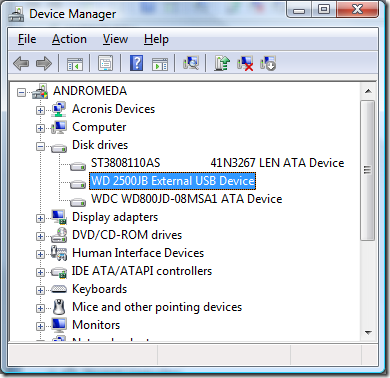
Anyway the way to deal with it was to fire up the Device Manager (Start->type in Device Manager) and double-click the external hard drive:
Then go to the Volumes tab and click on Populate:
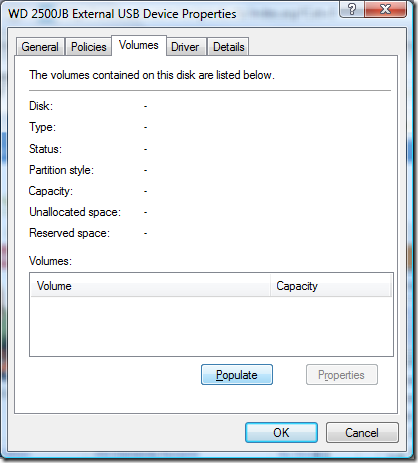
If the volumes show up, you're good to go.